
 Beta
IdeaBranch — mind map app for Mac with organic branches
A native Mac app for mind mapping. Draw in a Buzan-style organic view, then switch the same map to a classic layout when you need order.
IdeaBranch is a native mind mapping app for macOS. Its primary view is an organic mind map: curved, colorful branches spreading from a central topic, in the spirit of Tony Buzan. The same map opens in a classic layout — one tree of ideas, two ways to see it.
Organic mind map, in the spirit of Buzan
The organic map is the face of IdeaBranch. Branches are thick near the center and thinner toward the edges — curved and colorful. One branch, one thought; a keyword on the branch. That is the idea behind Tony Buzan’s radiant thinking: a map that reads like a picture, not a rigid diagram, so it is easier to remember.
If you used iMindMap (support ended January 2023; activation servers were shut down), IdeaBranch aims for a similar feel in a native Mac app.
Need structure? Same map in classic view
Sometimes you want a neat diagram: for a colleague, for printing, or to walk through points in order. Switch the view and the same map becomes classic — straight branches, clear hierarchy. It is not a duplicate file or a one-way export; it is the same tree. Edit in one view and the changes show in the other.
And when you want plain text, open the same map as an outline.
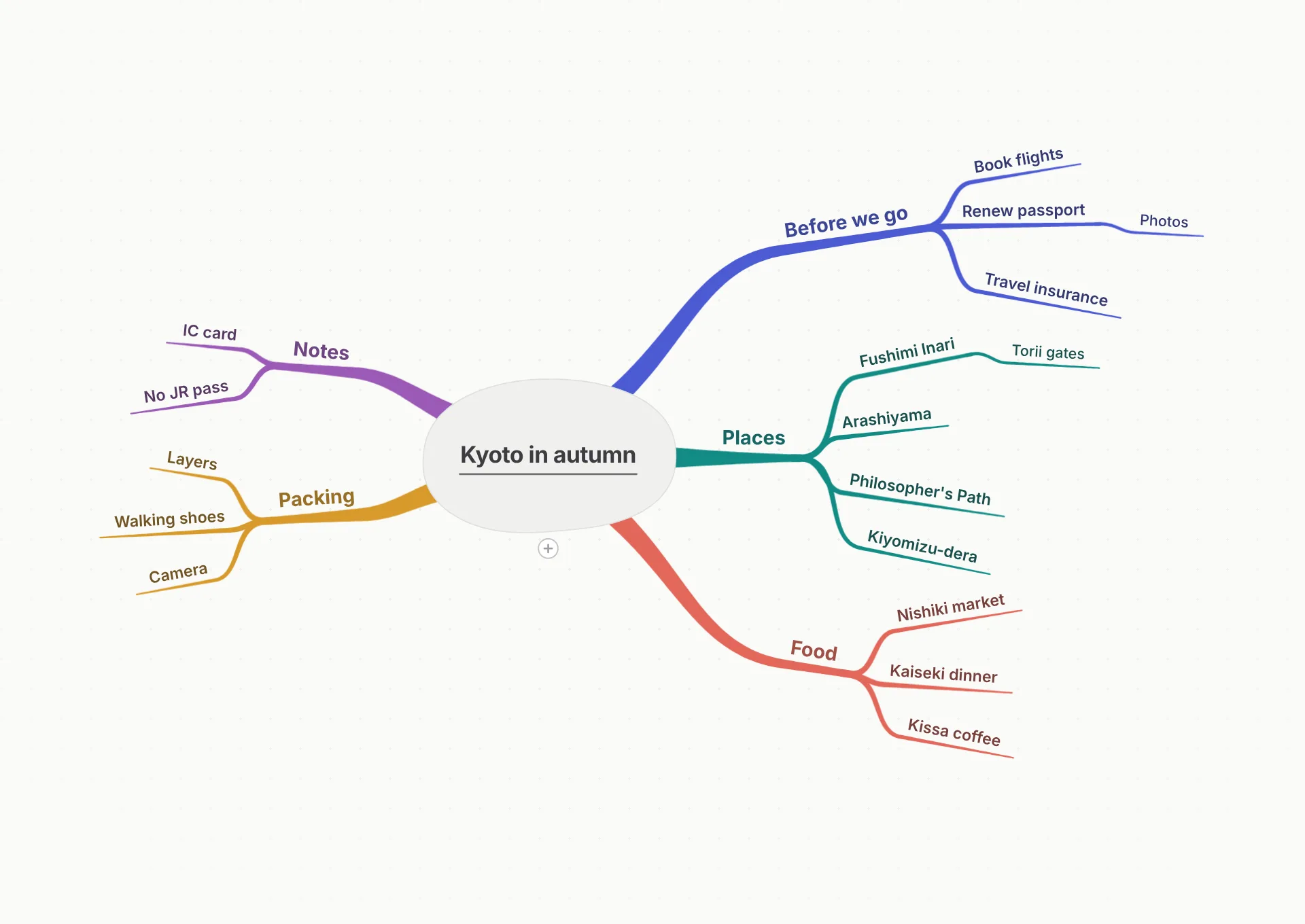
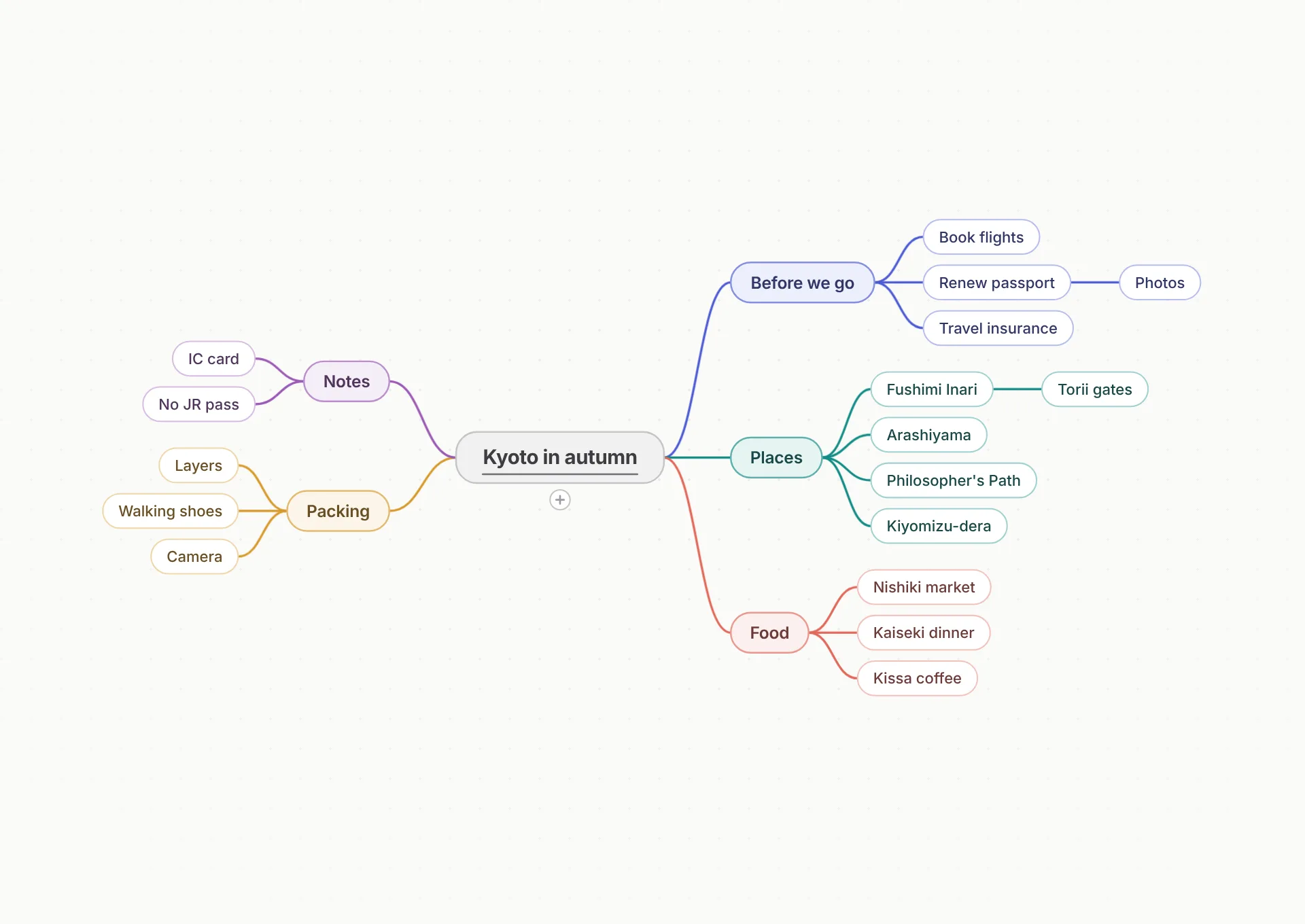

Move branches by hand. Or press Arrange.
Place branches where you want them. IdeaBranch remembers positions separately for each view, so a hand-tuned organic map does not break your classic layout — and vice versa. When the map grows crowded, the Arrange command can lay branches out again.
That per-view memory is a deliberate choice: some apps have moved away from fixed manual positions. IdeaBranch keeps manual layout per view without claiming to be the only app that offers free-form placement.
Maps people actually make
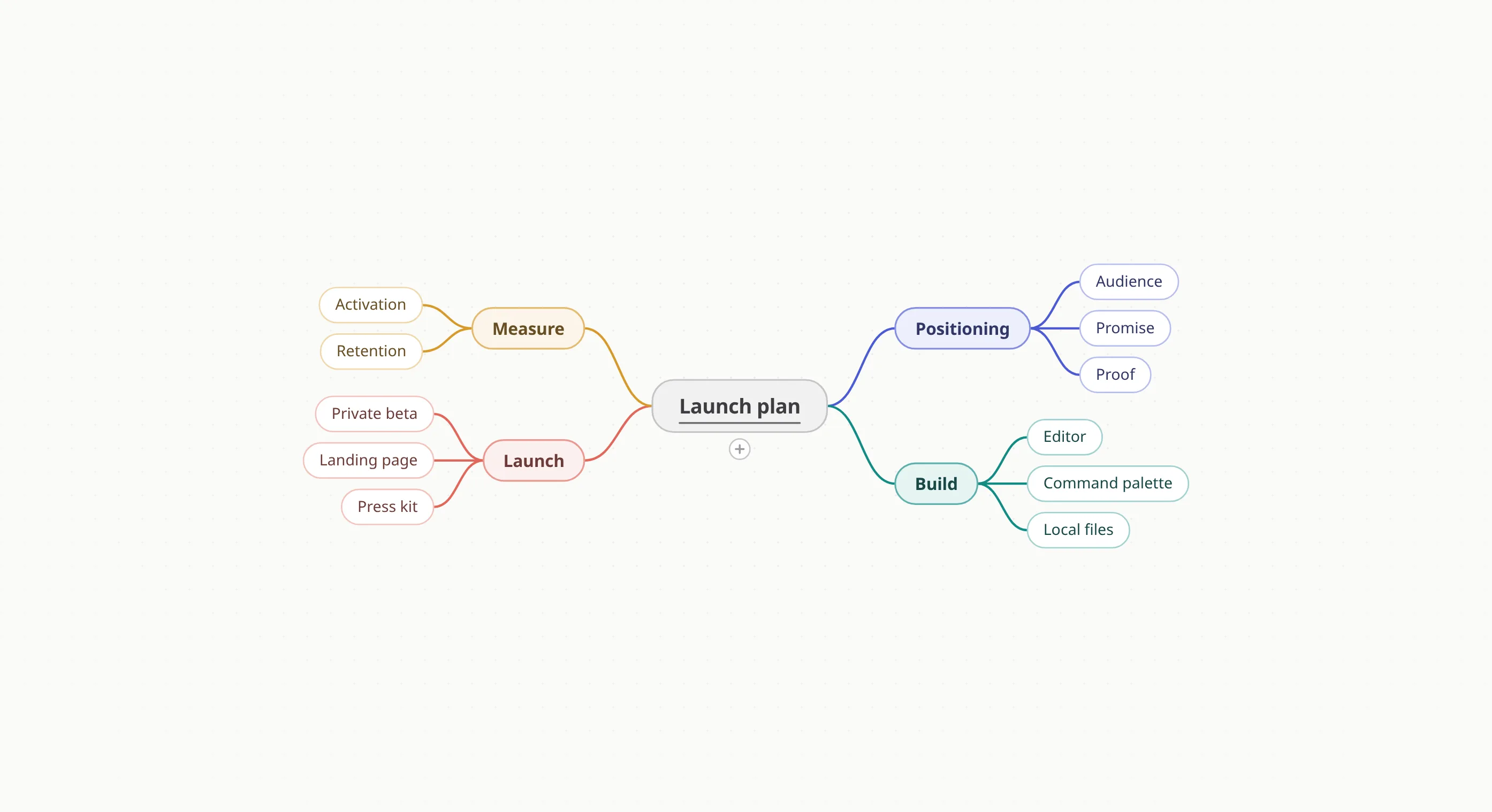
Project plans, trip notes, reading lists, and brainstorming — all in the same app, organic or classic.
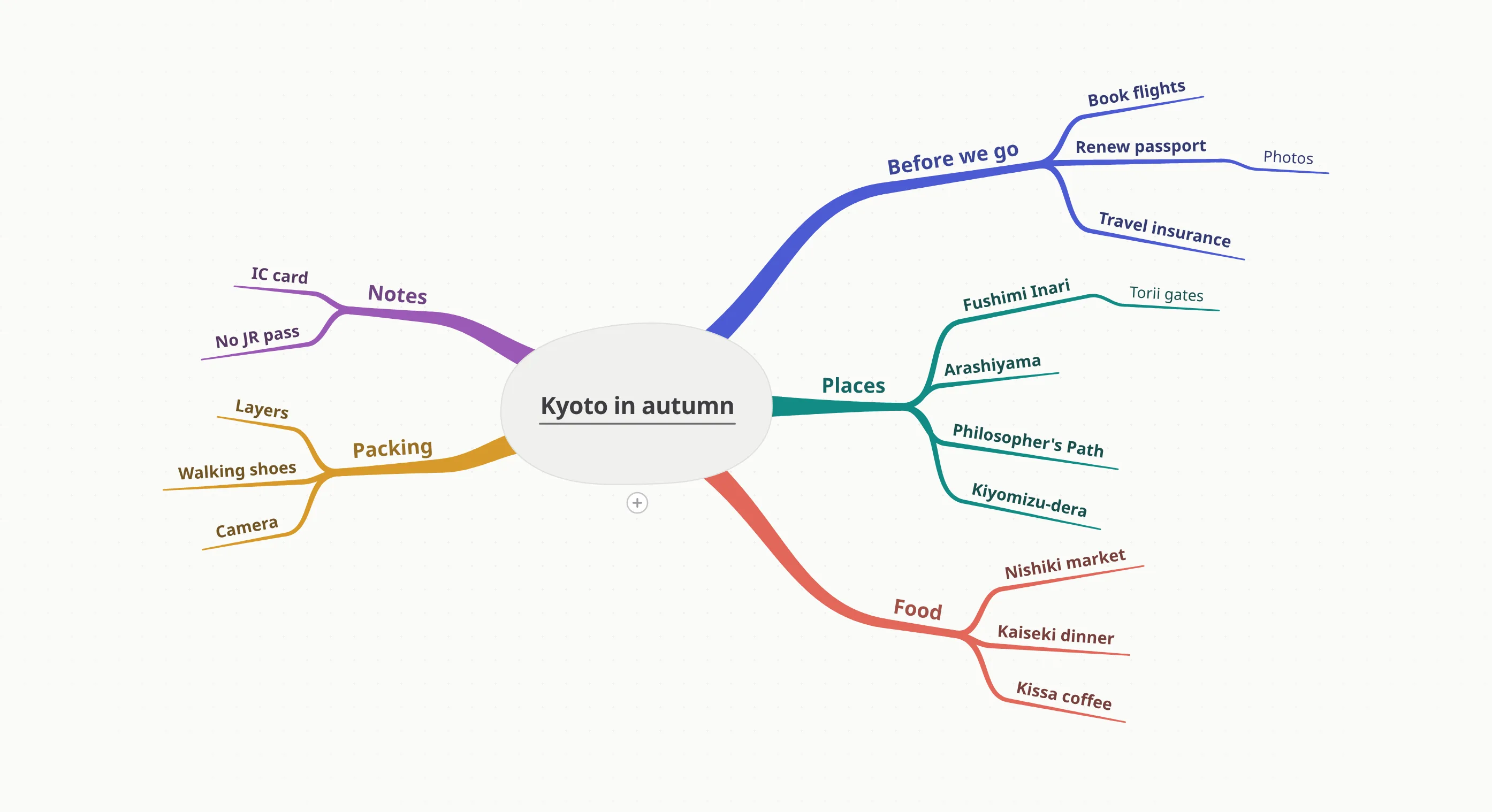
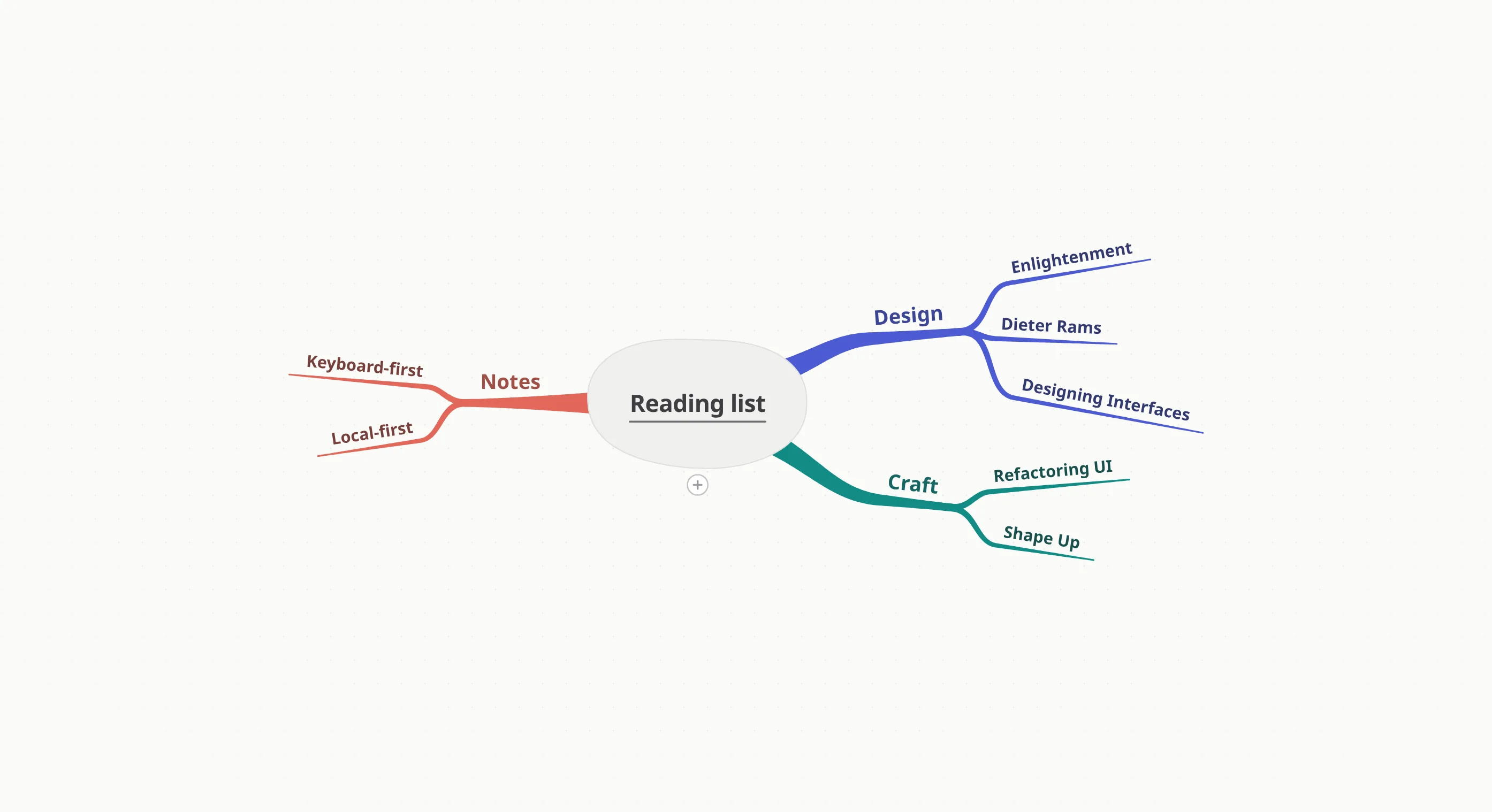

Try it in your browser
Open the same organic and classic views in a full interactive demo. Nothing to install — it runs locally in your browser tab.
Demo data stays in this browser. Resize the window to explore organic branches and classic view.
Who it is for
Students
Lecture notes and exam prep, with branches that mirror how topics connect.
People moving from other apps
If you relied on iMindMap, FreeMind, or iThoughts — apps that were discontinued or have not been updated in years — we are building for you.
Visual thinkers
When a list is not enough, a map shows relationships at a glance.
Questions
What is an organic mind map?
An organic mind map follows Tony Buzan’s approach: curved, colorful branches radiating from a central topic — thicker near the center, thinner toward the edges — with one keyword per branch. IdeaBranch draws these maps on Mac and can show the same map in a classic layout.
Is there Buzan-style mind map software for Mac?
iMindMap, the flagship app in this style, reached end of support in January 2023. Its successor Ayoa is cloud-based and subscription-based. IdeaBranch is a native Mac app built around an organic map.
Can I switch between organic and classic layouts?
Yes. It is one map in two views. Manual branch positions are stored separately for each view, and the Arrange command can lay out the map again.
Buzan and Mind Map are terms associated with Tony Buzan’s work; IdeaBranch is not affiliated with or endorsed by those organizations.