DeskCover Pro is now DeskCover 2. It is rebuilt for recent versions of macOS, it keeps the one idea that made the old app worth having, and it adds a few things I wanted for years. It is free, and it stays free.
Why bring it back
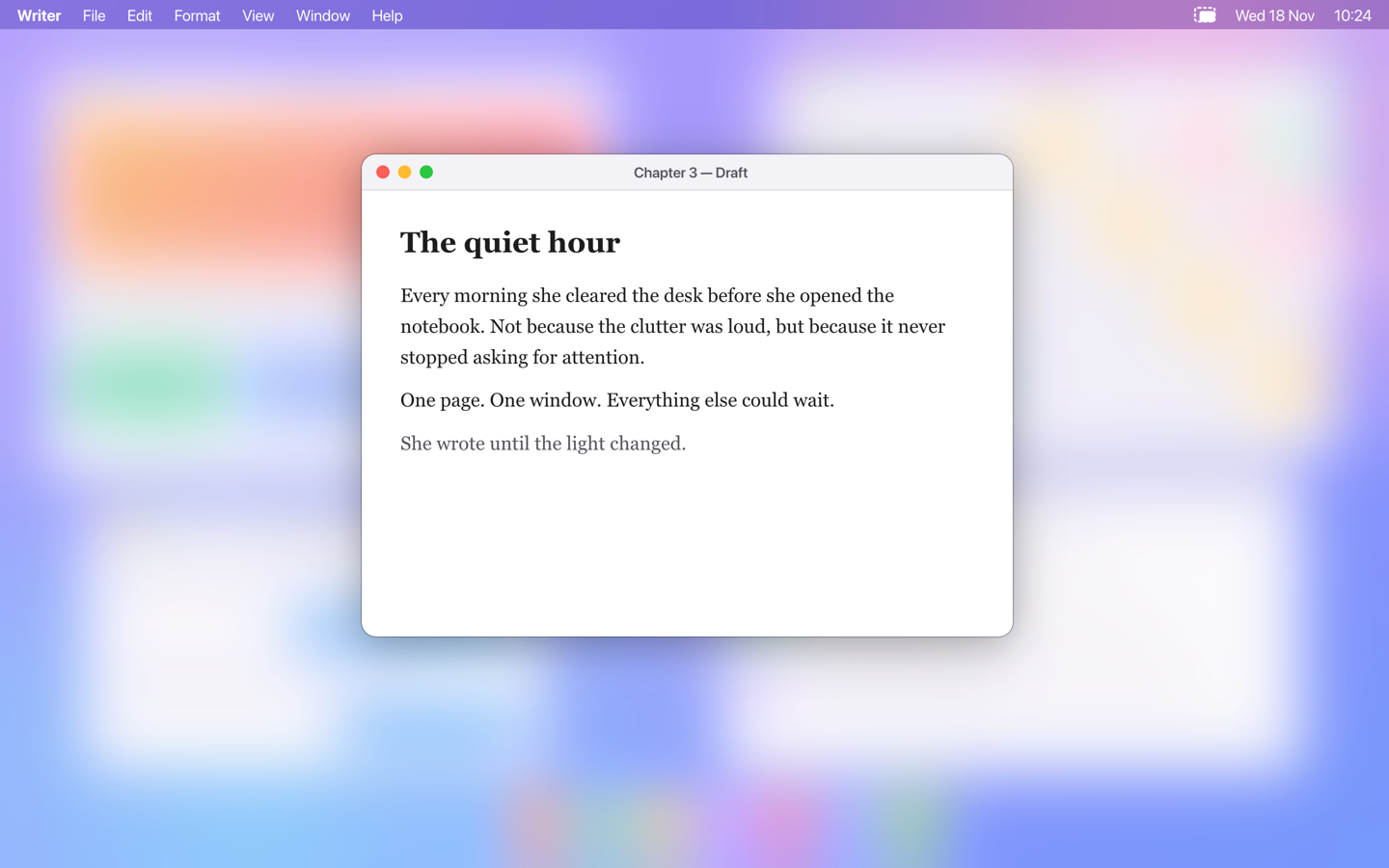
Honestly, I made it for myself. I work with a lot of windows open, and I want to see at a glance where I am working. DeskCover came out in 2017, and in all the years since, the things I needed never showed up in the apps I tried, HazeOver included. So I stopped waiting and rebuilt my own.
The thing only DeskCover did
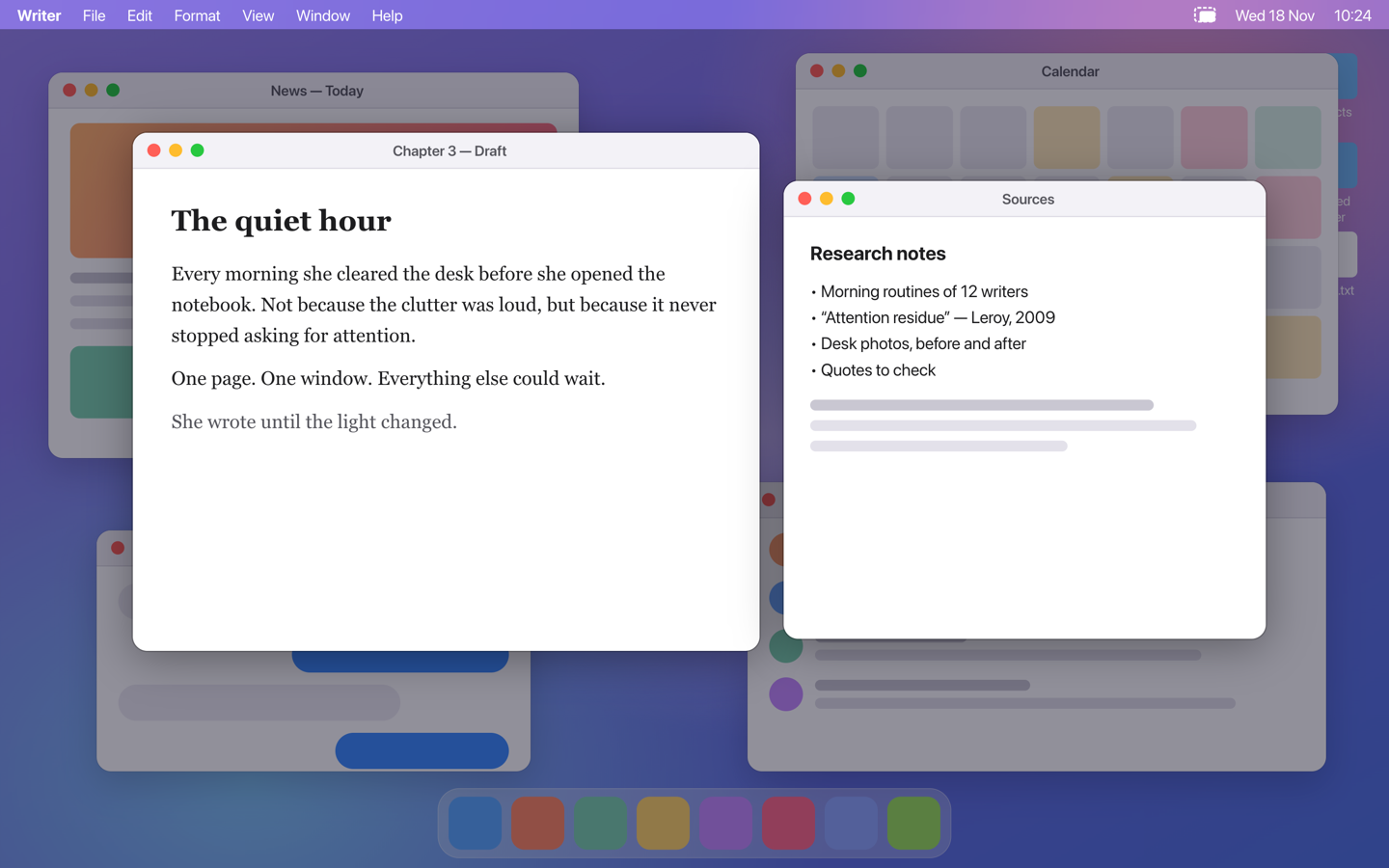
Dimming apps keep one window bright: the active one. Real work rarely lives in one window. You write in one and read the sources in another; you code in one and keep the docs in the next. DeskCover Pro let you keep several windows in focus at once, and that is still the heart of the app. In DeskCover 2 you choose 1 to 5 windows, or every window of the active app. I still have not found another app that does it.
What is new
- Real blur. Everything behind your window can turn to frosted glass instead of just going dark.
- A border around the active window. It follows focus and matches the window's rounded corners, with or without dimming, so you always know where your keystrokes go.
- Layers you can mix. Desktop cover, background dimming, blur and border each turn on by themselves and work together. One shortcut switches everything off and brings it back.
- A clean desktop on demand. Cover icons and wallpaper with a calm color, your wallpaper or any image, which helps on calls, demos and screen recordings.
Built for today's macOS
The old DeskCover Pro was written for a much older macOS. DeskCover 2 is a new app for macOS 14 Sonoma and later, and it works across all your displays. Old DeskCover Pro download links now give you DeskCover 2.
DeskCover 2.0.0 is free. The download is on the DeskCover page.