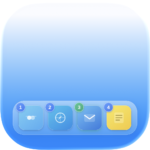
I’m excited to announce that the Public Beta of Quick Dock is officially live!
If you’ve ever felt that moving your hand to the mouse just to switch an app is a waste of time, this is for you. Quick Dock turns your standard Dock into a keyboard-driven powerhouse.
What’s the big deal?
It’s all about speed. By using simple numeric shortcuts (like Option + 1-9), you can:
Instant Switch: Jump to any app in your Dock.
Hide & Seek: Hide active apps or trigger App Exposé to see all windows at once.
Stay Focused: No mouse needed, no interruptions to your flow.
Important Note for Early Testers
A huge thanks to everyone who tried the initial builds! I’ve fixed dozens of bugs and improved the overall responsiveness based on your feedback.
One quick heads-up: The very first versions didn’t have auto-updates. To get all future improvements automatically, please download the latest version manually one last time.
Get the Beta & Save 50%
While the app is in active development, you can grab it with a 50% discount.
Give your mouse a break and try a faster way to work!